How To Restore A Backup
Follow these seven steps to restore a PayslipMaker backup, illustrated with screenshots.
-
01
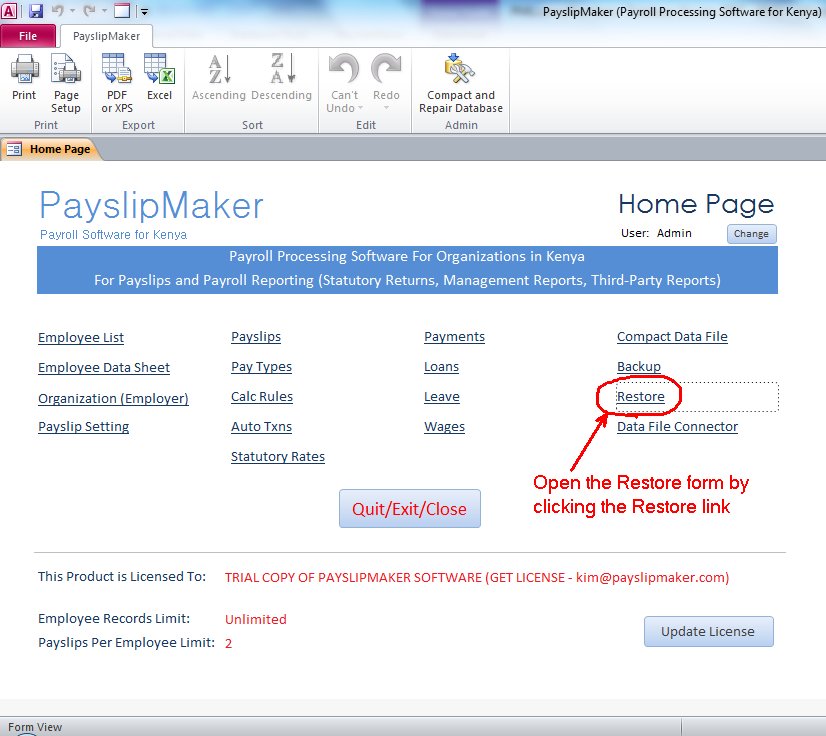
Open the Restore screen
-
02
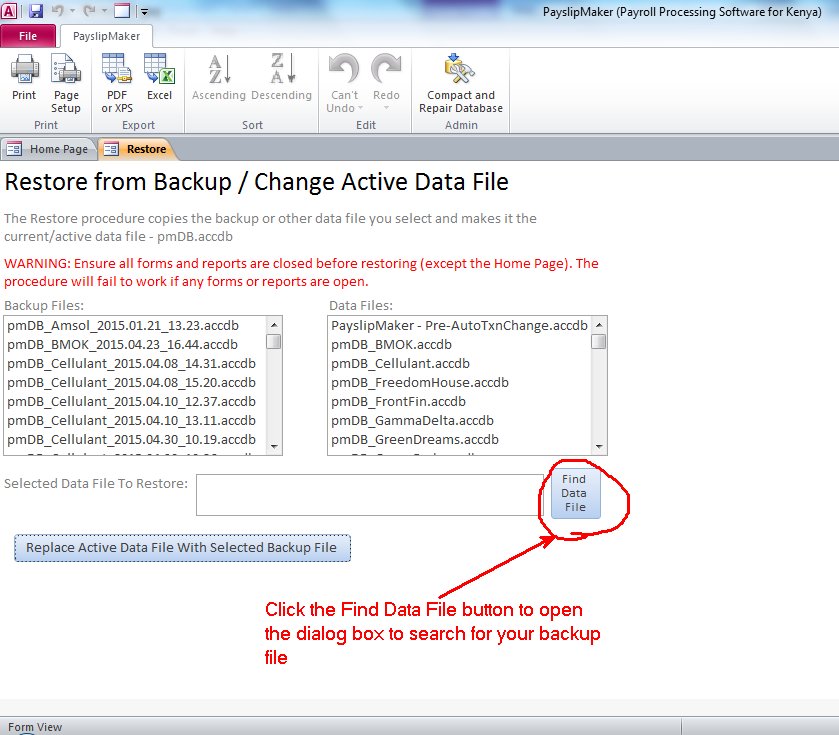
Choose the backup to restore
-
03
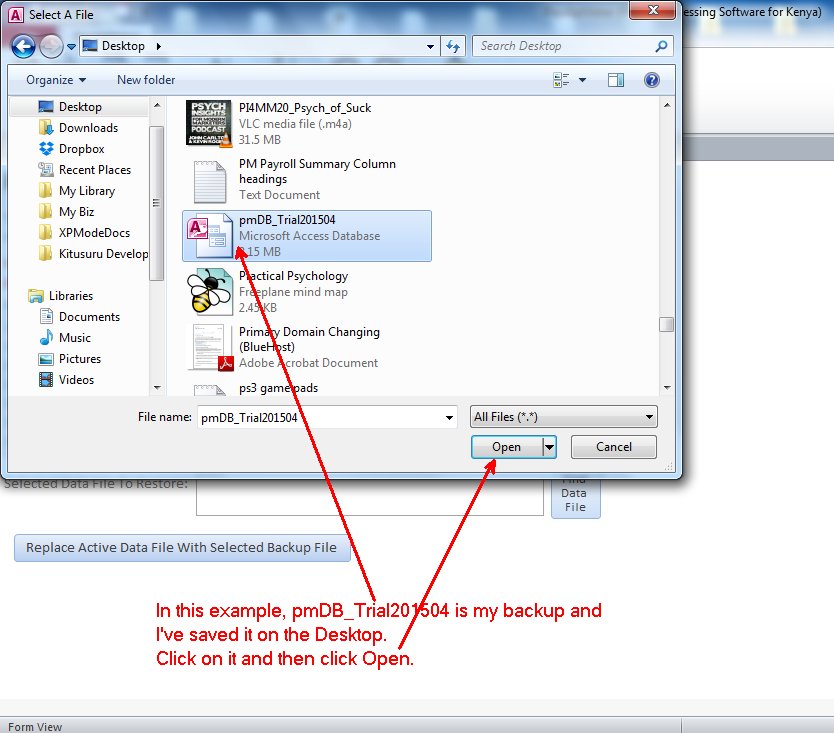
Confirm the selected backup
-
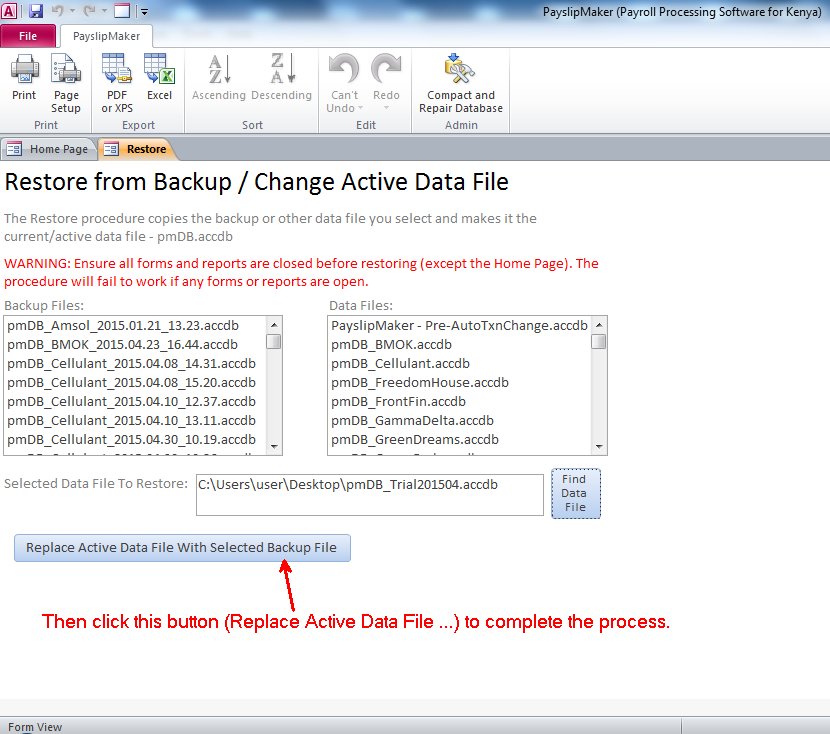
04
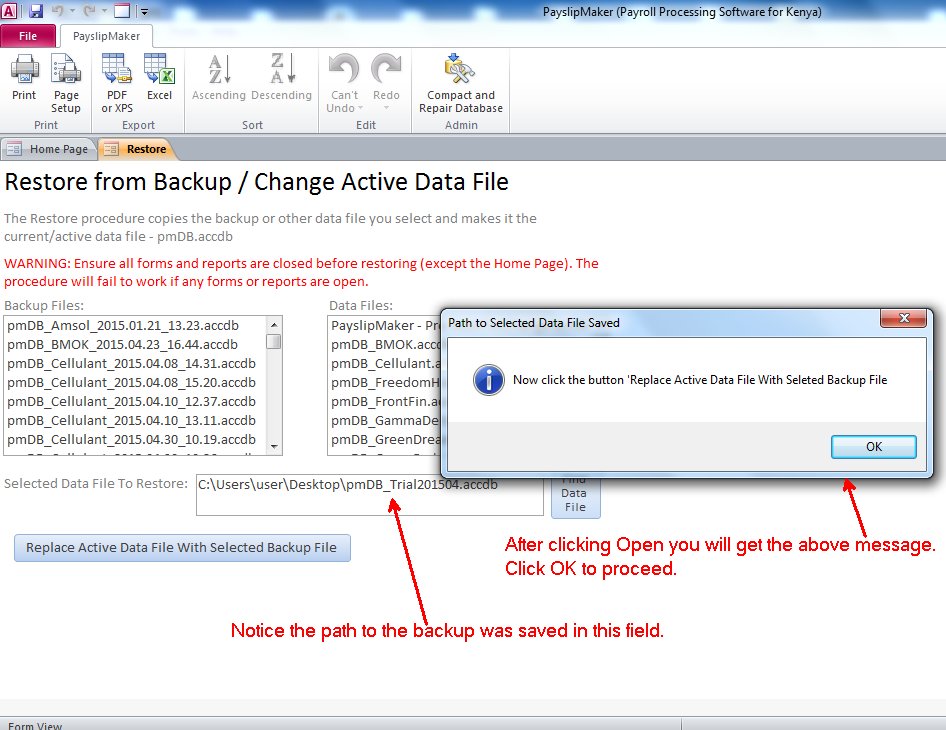
Start the restore
-
05
Let the restore run
-
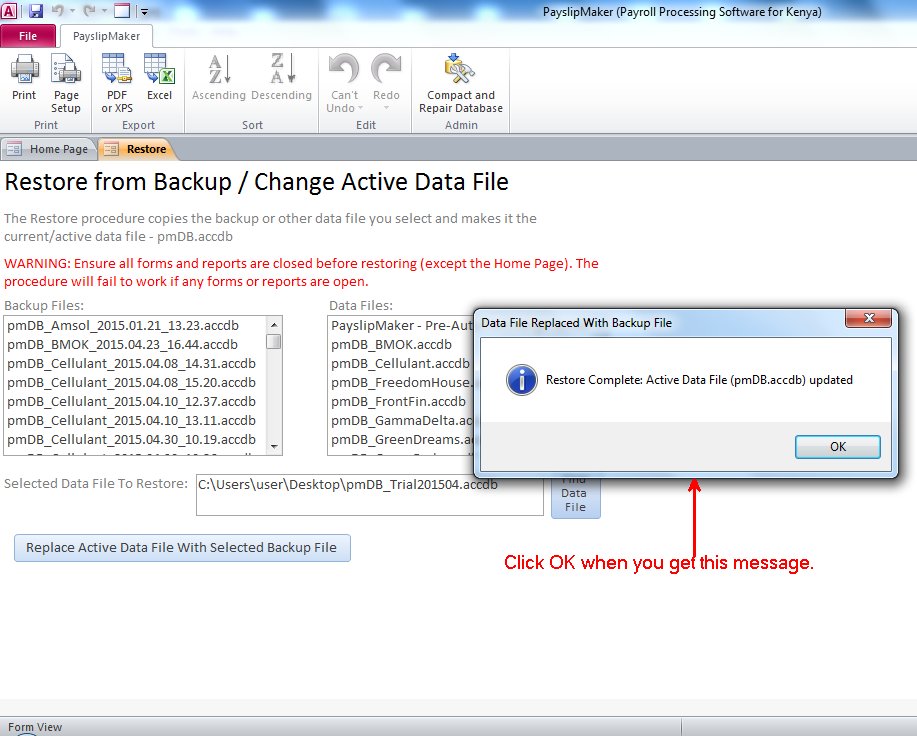
06
Restore finishes
-
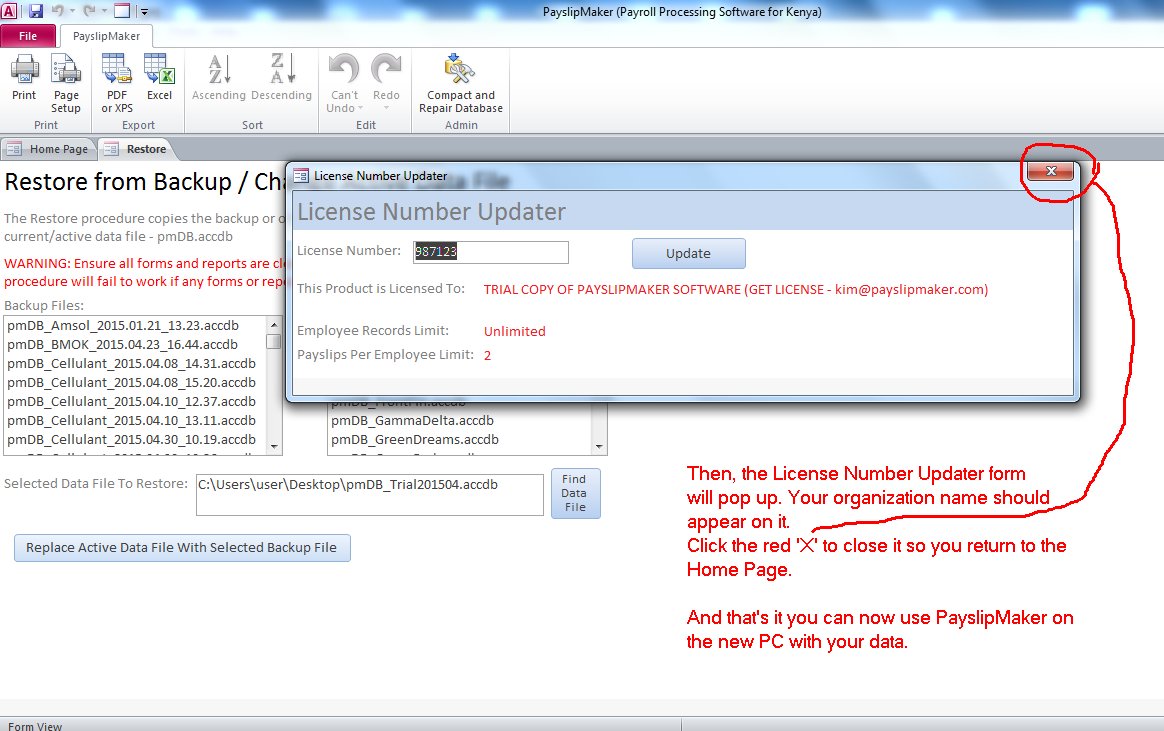
07
Back in PayslipMaker with the restored data
Need to restore because you're switching company files, or setting up on a new PC? See Switch Company File or Move To A New PC.